Your PC might be doing everything right, but a bad desk setup will still grind you down. Neck pain after two hours, tangled cables catching your mouse, lighting that throws glare on your monitor. None of that is fixed by a faster GPU. This guide covers what actually belongs on a gaming desk, broken into three groups so you can figure out what to prioritize first.
What ergonomic desk accessories do gamers actually need?
Gaming Chair
If you're logging four-plus hours at a time, your chair matters more than most peripherals. Look for adjustable lumbar support, armrest height, and seat depth. A chair that fits your body keeps your spine in a neutral position, which means less fatigue and better focus toward the end of a session.
Ergonomic Keyboard and Mouse
Flat keyboards force your wrists into an unnatural angle over time. A slightly tented or angled keyboard reduces that strain. On the mouse side, a shape matched to your grip style (palm, claw, or fingertip) makes a real difference across hours of use. These aren't luxury upgrades. They're basic injury prevention.
Monitor Arm
A monitor sitting on its stock stand is almost never at the right height. A good monitor arm lets you position the screen so the top third sits at eye level, which keeps your neck neutral. It also clears desk space, which matters more than it sounds once you're actually using the setup.
How do performance desk accessories improve a gaming setup?
Large Mouse Pad
A desk-sized mouse pad gives your mouse consistent surface tracking regardless of where your arm lands. It also protects the desk surface. If you play at low DPI settings, the extra real estate is especially useful since small pad edges mean constant re-centering.
Headset Stand
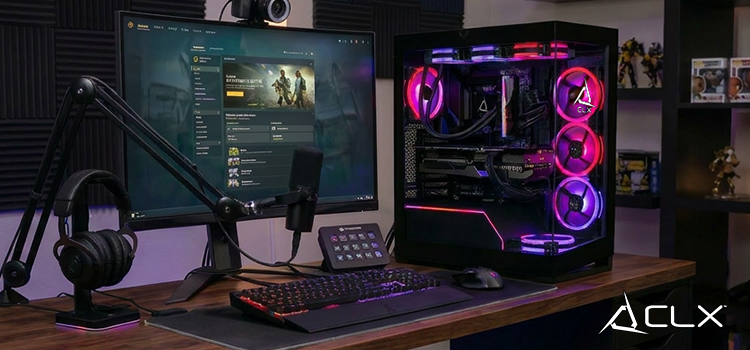
Keeping your headset off the desk sounds minor. It's not. A stand keeps the earcups from getting crushed or knocked around, extends the headset's lifespan, and keeps your work area clear. Some stands double as USB hubs, which consolidates cable clutter without adding another plug to the wall.
Cable Management
Loose cables drag on a mouse, collect dust, and make the setup look messier than it is. A cable spine, adhesive clips, or a simple under-desk tray keeps everything routed cleanly. This one takes about 20 minutes and makes the desk feel completely different to use.
What aesthetic accessories are worth adding to a gaming desk?
RGB Lighting Strips
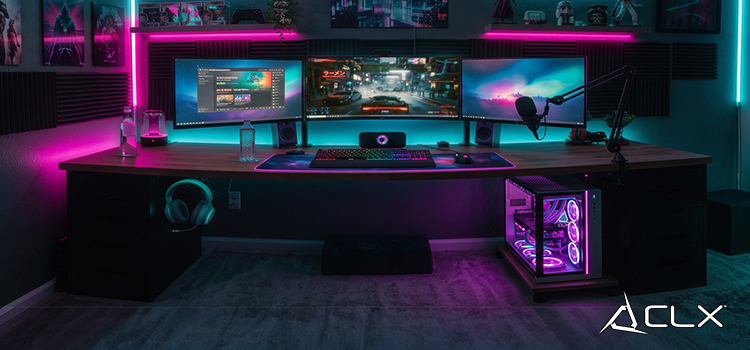
Bias lighting behind a monitor actually reduces eye strain during long sessions by reducing the contrast between a bright screen and a dark room. RGB strips placed behind the monitor do double duty: they look good in photos and serve a real function. Keep the color temperature close to your monitor's to get the most out of it.
Desk Mat
A full-surface desk mat ties the setup together visually and protects the desk from scratches and spills. Choose a thickness that doesn't interfere with your mouse pad if you're using one separately, or go with a single large mat that covers the whole surface.
Collectibles and Display Items
A shelf or corner of the desk dedicated to figures, merch, or hardware you're proud of makes the space feel intentional. It's a personal call, but a setup that reflects your interests is one you'll actually want to spend time at.
Ready to Pair Your Setup with the Right Rig?
If you're overhauling your desk, it's a good time to make sure the PC underneath matches. Browse CLX custom configurations at CLXGaming.com to find a build that fits how you actually play.