In the world of gaming PCs, every component plays a critical role in enhancing your gaming experience. If you’re a PC gamer looking to gain a competitive edge or simply want to enjoy a smoother, more immersive gaming experience, understanding PCI-E slot accessories is crucial.
In this post, we’ll explore the significance of PCI-E slots in gaming PCs, provide an overview of various PCI-E slot accessories, and offer detailed insights into how these accessories can elevate your gaming performance. You’ll also learn how to install and configure these accessories and get a glimpse into future trends that could shape the gaming landscape.
Understanding PCI-E Slots in Gaming PCs
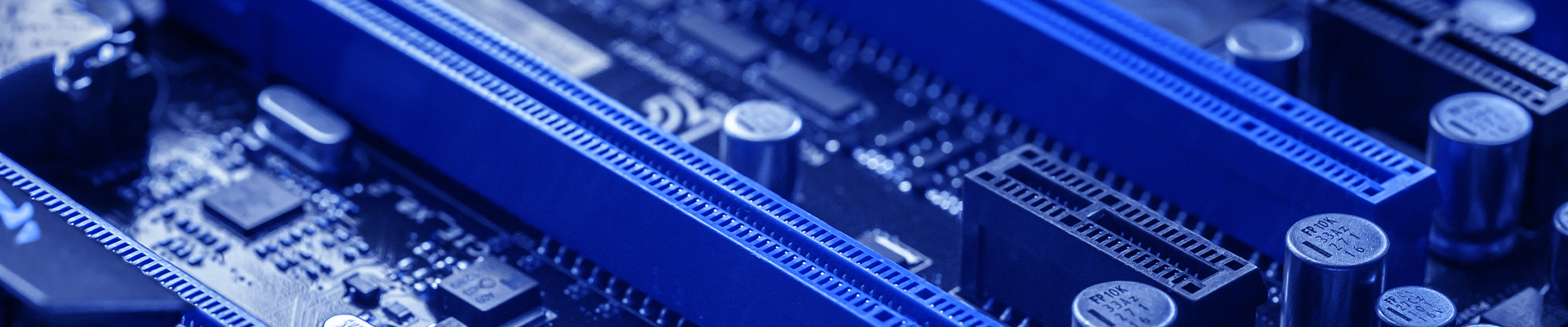
PCI-E (Peripheral Component Interconnect Express) slots are the backbone of modern gaming PCs. These slots allow you to connect various expansion cards, enhancing your system’s capabilities. Whether it’s adding a powerful graphics card or a high-speed SSD, PCI-E slots are integral to maximizing your PC’s potential.
PCI-E slots come in different sizes, commonly referred to as x1, x4, x8, and x16. The number indicates the number of data lanes the slot has, which impacts the speed and bandwidth available for connected devices. For gaming, the x16 slot is particularly important because it supports the high-performance graphics cards essential for smooth gameplay and stunning visuals.
The beauty of PCI-E slots lies in their versatility. They can accommodate a range of components, making them a favorite among gamers looking to upgrade their systems without overhauling their entire setup.
Exploring PCI-E Slot Accessories
When it comes to gaming PCs, there’s a plethora of PCI-E slot accessories designed to enhance performance and user experience. Here are some of the most popular options:
Graphics Cards
Graphics cards, or GPUs, are arguably the most critical PCI-E accessories for gamers. They handle rendering images, animations, and videos, allowing for higher frame rates and better overall visual quality. A robust GPU can make the difference between laggy gameplay and a seamless experience.
SSDs (Solid State Drives)
SSDs connected via PCI-E slots offer significant speed advantages over traditional SATA drives. With faster read and write speeds, PCI-E SSDs reduce load times, allowing games to start up quickly and run more smoothly. This can be a game-changer for gamers who demand instant gratification.
Sound Cards
While onboard audio has improved over the years, dedicated sound cards still offer superior audio quality and additional features like surround sound and advanced audio processing. For gamers who value immersive audio experiences, a sound card is a valuable upgrade.
The Power of Graphics Cards
When it comes to gaming, the graphics card is king. Modern GPUs like NVIDIA’s RTX series and AMD’s Radeon RX series offer incredible performance, enabling gamers to enjoy games at higher resolutions and with more detailed graphics settings.
These GPUs feature advanced technologies like real-time ray tracing, which simulates realistic lighting effects, and AI-enhanced graphics, which improve visual fidelity. The result is a more immersive and visually stunning gaming experience that can make any game feel more lifelike.
Installing a new GPU can also extend the life of your gaming rig, allowing you to play the latest titles without needing to buy a whole new system. It’s a cost-effective way to keep your PC up-to-date with the latest gaming advancements.
Boosting Speed with PCI-E SSDs
Speed is essential in gaming, and nothing boosts speed quite like a PCI-E SSD. These drives use the high-bandwidth capabilities of PCI-E slots to deliver read and write speeds that far surpass traditional SATA SSDs. This means faster boot times, quicker game loads, and a more responsive gaming experience overall.
PCI-E SSDs are a popular choice among gamers. They offer impressive performance and reliability, ensuring your games and other applications run smoothly and efficiently.
Adding a PCI-E SSD is one of the simplest yet most impactful upgrades you can make to your gaming PC. It’s an investment that pays off in faster loading times and a more enjoyable gaming experience.
Enhancing Audio with Sound Cards
Great visuals are only half of the gaming experience—sound is equally important. Dedicated sound cards provide superior audio quality, with clearer sound, better dynamics, and more immersive effects compared to onboard audio solutions.
Sound cards like the Creative Sound BlasterX AE-5 Plus or the ASUS Xonar AE offer enhanced audio processing capabilities, supporting features like surround sound, Hi-Res audio, and customizable audio profiles. This can make a significant difference in competitive gaming, where precise audio cues are crucial.
For gamers who use high-quality headphones or speakers, investing in a sound card can greatly enhance the overall experience, making every game more engaging and immersive.
Installing PCI-E Accessories
Installing PCI-E accessories might seem daunting, but it’s a straightforward process with the right guidance. Here’s a step-by-step guide to help you get started:
Step 1: Prepare Your Workspace
Ensure your PC is powered off and unplugged. Open the case and locate the PCI-E slots on your motherboard. Have your new accessory and a screwdriver handy.
Step 2: Insert the Accessory
Carefully align the accessory with the appropriate PCI-E slot (e.g., x16 for a graphics card). Gently press it into place until it’s fully seated. Secure it with screws if necessary.
Step 3: Connect Power (if needed)
Some accessories, like high-end graphics cards, require additional power connections. Connect the necessary power cables from your PSU to the accessory.
Step 4: Close the Case and Power On
Once everything is connected, close your PC case and plug it back in. Power on your system and install any necessary drivers or software for the new accessory.
Future Trends in PCI-E Accessories
The world of PCI-E accessories is constantly evolving, with new advancements on the horizon that promise to revolutionize gaming PCs even further.
AI-Powered Graphics Cards
Future GPUs will leverage AI to enhance gaming graphics in real-time, offering even more realistic visuals and smoother gameplay. NVIDIA’s DLSS (Deep Learning Super Sampling) is a current example, and we can expect more innovations in this space.
Faster and Larger SSDs
PCI-E 4.0 and upcoming PCI-E 5.0 standards will bring even faster SSDs, reducing load times to virtually zero. Larger capacities will also become more affordable, allowing gamers to store more games without compromising speed.
Advanced Audio Solutions
New sound cards will offer even more advanced audio processing capabilities, including support for emerging audio formats and technologies, providing gamers with an unparalleled audio experience.
Conclusion
PCI-E slot accessories are essential for any serious gamer looking to enhance their gaming PC’s performance and user experience. From powerful graphics cards and lightning-fast SSDs to immersive sound cards, these accessories can make a significant difference in your gaming setup.
By understanding the benefits and installation process of these components, you can take your gaming experience to the next level. Keep an eye on future trends to stay ahead of the curve and ensure your PC remains at the cutting edge of gaming technology.
Ready to upgrade your gaming rig? Start exploring your options today and join the community of gamers who trust CLX to deliver peak performance.
About Us
CLXGaming is a PC builder based in Wichita, KS that builds prebuilt PCs, custom PCs and laptops for all of your gaming and creative needs. We work with any budget and offer flexible gaming PC financing.
If you would like more information about our PCs, please contact our customer support team at (855) 490-2569 or [email protected]. We pride ourselves on our excellent customer service and are happy to assist with your needs.