Upgrading to a new PC platform means facing a harsh reality about pricing. As Intel and AMD push their latest processors, DDR5 memory has become the mandatory standard for serious gamers. Current generation processors like the AMD Ryzen 9000 series on AM5 and Intel Core Ultra 200 on LGA1851 are DDR5 exclusive. They cannot pair with DDR4. The bandwidth is massive. The speeds are staggering. The price tags on premium dual-stick kits can easily wreck a carefully planned build budget.
This financial hurdle forces many builders to ask a highly contested question. Do you really need to buy a dual-channel memory kit right away, or can a single stick of DDR5 handle modern PC gaming?
For years, the golden rule of PC building dictated that you never run a single stick of RAM. Doing so with DDR4 starved your CPU of bandwidth and tanked your frame rates. But memory architecture has evolved. We are going to break down the technical realities of DDR5, compare the gaming performance of single versus dual-channel setups, and explain exactly when running a single stick is the smartest move for your gaming rig.
The Architectural Shift of DDR5
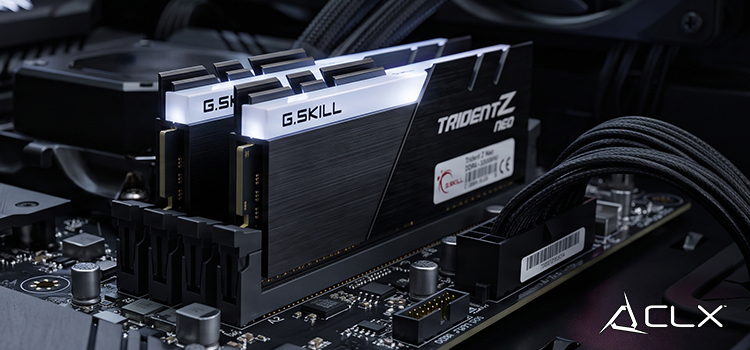
To understand why a single stick of DDR5 behaves differently than a single stick of DDR4 let’s see what is under the heatsink, DDR5 memory modules radically change the architecture, a single DDR5 stick is split into two independent 32-bit data channels.
A standard stick of DDR4 memory features a single 64-bit data channel. When installing one DDR4 module in one channel, the CPU communicates across that single highway. Adding another module in the second channel activates dial-channel mode, opening a 64-bit highway and doubling the available bandwidth.
Because one DDR5 module operates as two independent channels, the processor handles memory requests much more efficiently. While the total physical bus width of a single DDR5 module remains 64 bits, the dual-sub-channel design drastically improves access latency and concurrency. Your motherboard and CPU memory controller still recognize two physical sticks as a true dual-channel configuration. However, the penalty for running a single stick is far less severe than it was in previous generations.
Gaming Performance and Resolution Scaling
Tech enthusiasts often chase theoretical maximums in synthetic benchmarks. Synthetic data rarely reflects real-world gaming. If you are trying to maximize your gaming performance per dollar, a single stick of DDR5 is completely viable in specific scenarios. You have to test your specific games and resolutions because results vary heavily based on those exact metrics.
In CPU-heavy or 1080p scenarios, some users have experienced 5 to 15 percent lower average frame rates and significantly worse 1 percent lows when using a single stick. For example, running Cyberpunk 2077 at 1080p on the High preset with a Ryzen 7 7800X3D and an RTX 4070 Super will show a noticeable dip in frame stability with one stick of RAM compared to two. The CPU works harder at lower resolutions to feed frames to the GPU, making memory bandwidth highly important.
If you are gaming at 1440p or 4K resolutions, your graphics card is doing the heavy lifting. The higher the resolution, the more the workload shifts from your CPU and system memory to the GPU VRAM. In these GPU-bound scenarios, the difference between a single stick of DDR5 and a dual-stick kit is often negligible. You lose a handful of frames per second, but the overall experience remains highly responsive and visually fluid.
Cost-Effectiveness and Upgrades
Building a PC requires strict resource allocation. Every dollar you spend on memory is a dollar you cannot spend on your graphics card. A premium 32GB dual DDR5 kit is expensive. Taking the savings from buying a single stick and applying it to your GPU budget allows you to step up from a mid-tier graphics card to the next performance tier.
A stronger GPU paired with single-channel DDR5 will consistently outperform a weaker GPU paired with dual-channel DDR5 in almost every modern gaming workload.
Here on the build floor in Wichita, we see the budget math play out every day. When a customer has a hard cap of $1,300, dropping from a dual-RAM kit down to a single stick is often the exact move that lets us swap an RTX 4060 Ti for an RTX 4070. That GPU upgrade delivers a massive visual improvement at 1440p that completely covers up the minor bandwidth penalty of running single-channel memory.
Opting for a single stick of DDR5 does not lock you into that configuration forever. It creates a highly efficient upgrade path. Most modern motherboards utilize a daisy-chain memory topology that performs best with exactly two memory slots populated. By purchasing a single stick now, you leave the second primary slot open. When your budget recovers, you can simply purchase a second stick, slot it in, and instantly unlock the full bandwidth of your system. You must put strict emphasis on matching the original stick exactly. Buy the exact same speed, capacity, and model for the best results.
Future-Proofing with 32GB
Given everything going on with modern gaming requirements, we have to talk about 32GB as the total minimum for comfort in 2026. Games are utilizing more system memory than ever before. If running a single stick is the direction you want to take right now, considering a single 32GB stick is better for future-proofing. Starting with one 32GB stick leaves you the option to drop in a second 32GB stick later. That takes your rig to 64GB without forcing you to throw away your original RAM.
Making the Right Call for Your Gaming Rig
Upgrading to a DDR5 platform does not have to drain your bank account entirely on day one. Thanks to the dual-sub-channel architecture built directly into every DDR5 module, gaming on a single stick is no longer a massive problem. By allocating your budget smartly toward a more powerful graphics card and starting with a single memory module, you can hit great frame rates right now while leaving the door wide open for future upgrades.
If you are ready to balance your hardware budget and build a system that prioritizes real gaming performance, head over to the configurator at CLXGaming.com to start your custom build.