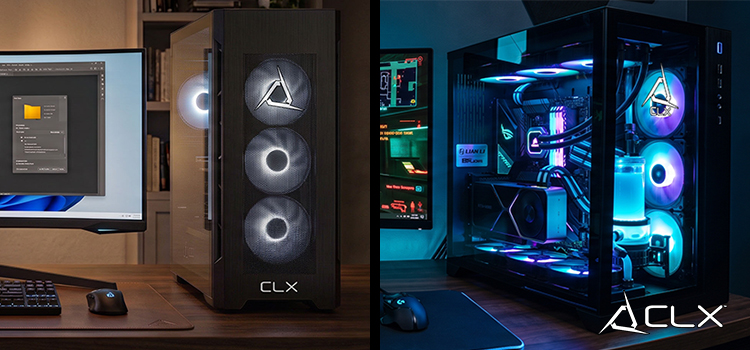
For gaming aficionados, the hum of a robust gaming rig is often the symphony of victory, the pulse of adrenaline, and the baseline of all-night raiding sessions. But what if there was a way to experience the thrilling roar of the game without the incessant whirring of fans and the clanging of hard drives? Welcome to the art of creating a 'Silent but Deadly' gaming PC—a pinnacle in PC mastery that not only elevates your gaming experience but also maintains a whisper-quiet profile.
In this comprehensive guide, we will unveil the secrets behind crafting a powerful, silent gaming PC; a feat that pushes the boundaries of creativity and engineering within the gaming community where peace and performance coalesce.
Choosing the Right Components
The foundation of silence begins with careful selection at the component level. From the processor to the chassis, every part must contribute to the quietness of the machine.
Silent CPU Coolers
Features like larger heatsinks, dual heat pipes, and advanced fluid designs in modern liquid coolers can significantly reduce noise while effectively managing temperature.
Quiet Case Fans
Gaming doesn't have to sound like a plane taking off. Choose fans with a low decibel rating, sufficient airflow, and static pressure for optimal gaming conditions without noise pollution.
Noise-Optimized Power Supply
The power supply unit (PSU) can be a primary source of noise. An 80 PLUS certified PSU from a reputable brand, operating in a ‘Zero RPM Fan’ mode until necessary, can keep the system operating silently under light loads.
Solid-State Drives for Silent Operation
A solid-state drive (SSD) is not only faster but operates without the vibrations or sounds associated with traditional hard disk drives. Unleash the speed of your games without the clatter of mechanical storage.
Building Techniques for Quietness
Once you've selected your arsenal of components, the next phase is constructing them in a way that minimizes noise.
Cable Management
Neat and tidy cable routing is not only aesthetically pleasing but also improves airflow which, in turn, reduces fan speed—and the noise that comes with it.
Soundproofing Materials
Utilize foam or rubber dampeners on the inside panels of your chassis to absorb internal noise. Choose a case that has been specifically designed for noise reduction.
Proper Airflow Design
Create a balance between intake and outflow of air to maintain cooling efficiency without overworking the fans. A well-ventilated case with filtered intakes and an unobstructed flow path is key.
Software Optimization
Your quest for a quiet gaming PC doesn’t end with hardware; software is your ally in maintaining tranquility.
Fan Speed Control
Adjust fan speeds through bios or software apps, finding the sweet spot where your PC operates silently without sacrificing performance.
Noise-Canceling Software
Utilize software that actively listens to your system's acoustics and adjusts fan speeds accordingly. It can even suppress background noise to enhance the perception of silence.
Efficient Cooling Solutions
Implement software that regulates temperatures by coordinating with hardware, ensuring that cooling is applied only where it's needed to maintain a balance between silence and performance.
Maintenance Tips
A silent PC is a well-maintained PC. Regular care will ensure that sound doesn't become a continuous player in the game.
Regular Cleaning
Dust is the enemy of a quiet PC, clogging fans and obstructing airflow. Regular cleaning of components can prevent unnecessary noise.
Upgrading Components for Noise Reduction
Over time, components can age and become noisier. When feasible, upgrading to newer, quieter parts can refresh your system's silent prowess.
Conclusion
For many gamers, noise reduction is an unsung hero in the quest for the perfect gaming setup. A silent gaming PC not only offers a serene space for immersive gaming but also provides a canvas for your creativity and focus.
Building a quiet gaming PC is a testament to your dedication to the craft. It's about understanding the symphony of technology and tuning each element to play a role, not just in the game but in the orchestra that is your gaming station.
Elevate your gaming experience with a gaming PC from CLX. Unleash the stealthy potential hidden within every component, and step into a world where the only sound you hear is the narrative of your game, whispered in the silence of a truly masterful creation.
About Us
CLXGaming is a PC builder based in Wichita, KS that builds prebuilt PCs, custom PCs and laptops for all of your gaming and creative needs. We work with any budget and offer flexible gaming PC financing.
If you would like more information about our PCs, please contact our customer support team at (855) 490-2569 or [email protected]. We pride ourselves on our excellent customer service and are happy to assist with your needs.