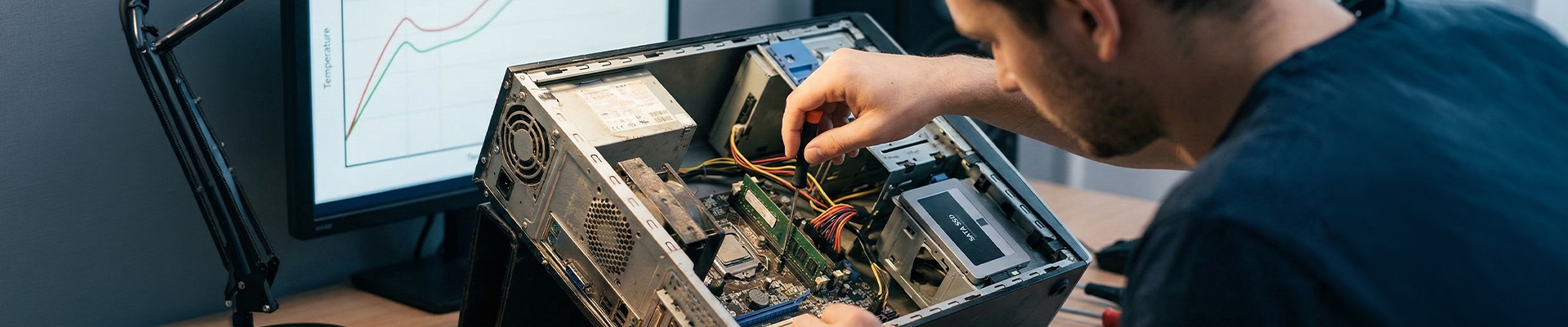
Your battle station has seen better days. Frames are dropping, boot times are crawling, and the fans sound like a jet engine preparing for takeoff. The instinct is to scrap it and build a new beast from scratch. But true mastery isn't just about buying the latest hardware—it's about optimizing what you own.
Sustaining an older PC is a technical challenge that rewards you with performance and efficiency. Before you contribute to the growing mountain of electronic waste, execute these protocols to squeeze every drop of power from your aging machine.
Run Diagnostics and Identify Bottlenecks
You cannot fix what you do not measure. Before attempting any upgrades, you need a clear picture of your system’s stability. Hardware degradation is real, but it’s often identifiable.
Start with your storage and memory. A failing drive or faulty RAM stick will cripple even the most optimized software. Run the Windows Memory Diagnostic tool to stress-test your RAM for errors. For storage, check your drive's S.M.A.R.T. (Self-Monitoring, Analysis, and Reporting Technology) status to see if read/write errors are signaling an imminent failure.
Don't ignore thermals. Old thermal paste dries out, turning your CPU into a heater rather than a processor. If your idle temperatures are creeping up, your system is thermal throttling to protect itself, killing your frame rates in the process. A simple repasting job can restore factory-level performance.
Purge the Bloat: Software Optimization
Over time, your operating system accumulates digital debris—temporary files, leftover registry entries, and background processes that eat up CPU cycles. This 'bit rot' is the silent killer of performance.
Windows 10 and 11 include built-in tools to handle this, but you need to configure them aggressively.
- Activate Storage Sense: Go to your System settings and enable Storage Sense. Configure it to automatically delete temporary files and empty the Recycle Bin on a schedule. This prevents the drive from filling up with useless cache files.
- Manual Disk Cleanup: For a deeper purge, use the legacy Disk Cleanup tool. Ensure you select 'Clean up system files' to remove old Windows update installations, which can reclaim gigabytes of space.
- Driver Discipline: Outdated drivers are a liability. Ensure your GPU drivers are current to leverage the latest optimization patches for modern games. Conversely, if a new driver destabilizes your specific card, do not hesitate to roll back to a stable version.
Strategic Hardware Upgrades
If software optimization doesn't cut it, targeted hardware injection is your next move. You don't need a new GPU to see massive gains; you need to eliminate data bottlenecks.
The SSD Imperative: If your OS is still running on a mechanical Hard Disk Drive (HDD), you are voluntarily throttling your system. Swapping to a SATA SSD—or an NVMe M.2 drive if your motherboard supports it—is the single most effective upgrade you can make. It reduces boot times from minutes to seconds and eliminates texture pop-in during gaming.
Maximize RAM: Modern gaming and multitasking demand memory. If you are running 8GB or less, you are hitting the page file constantly, forcing the system to use slow drive storage as fake RAM. Upgrading to 16GB is the standard for a responsive experience.
Repurposing with Lightweight Operating Systems
Eventually, hardware becomes too dated for modern AAA gaming. That doesn't mean the hardware is obsolete; it just means its mission profile has changed.
Windows is resource-heavy. If your hardware struggles to run it, switch to a lightweight Linux distribution like Lubuntu or Linux Lite. These operating systems strip away the overhead, allowing older hardware to run snappy and responsive for web browsing, coding, or retro gaming emulation.
Alternatively, convert the tower into a dedicated server. An old PC is perfect for hosting a Minecraft server for your squad, running a Plex media server, or acting as a network-attached storage (NAS) device.
About Us
CLXGaming is a PC builder based in Wichita, KS that builds prebuilt PCs, custom PCs and laptops for all of your gaming and creative needs. We work with any budget and offer flexible gaming PC financing.
If you would like more information about our PCs, please contact our customer support team at (855) 490-2569 or [email protected]. We pride ourselves on our excellent customer service and are happy to assist with your needs.