Introduction to the Importance of FPS in Gaming
In the high-octane world of gaming, every millisecond counts. Whether you're navigating through the chaotic battlegrounds of 'Call of Duty' or exploring the expansive realms of 'Elden Ring,' your Frames Per Second (FPS) can make or break your gaming experience. High FPS ensures smooth and responsive gameplay, giving you the edge over competitors. But how can you achieve this crucial performance metric? Let’s dive deep into the world of FPS and discover how to optimize your gaming setup for peak performance.
Understanding the Basics: What is FPS?
FPS, or Frames Per Second, measures the number of individual frames displayed on your screen per second. A higher FPS translates to smoother animations and more fluid gameplay. While 30 FPS is considered the bare minimum for a playable experience, competitive gamers often aim for 60 FPS or higher. Achieving this requires a balance between your hardware capabilities and software settings.
Hardware Tweaks for Improved FPS
Upgrade Your Graphics Card
Your Graphics Processing Unit (GPU) is the heart of your gaming setup, rendering all the visuals you see on screen. To boost your FPS, consider upgrading to a more powerful graphics card. Top-tier options like the NVIDIA GeForce RTX 3080 or AMD Radeon RX 6800 XT offer exceptional performance, ensuring your games run smoothly.
Optimize Your CPU
While the GPU handles the bulk of rendering tasks, your Central Processing Unit (CPU) also plays a critical role. Upgrading to a multi-core processor like the AMD Ryzen 9 or Intel Core i9 can significantly improve your FPS, especially in CPU-intensive games.
Increase Your RAM
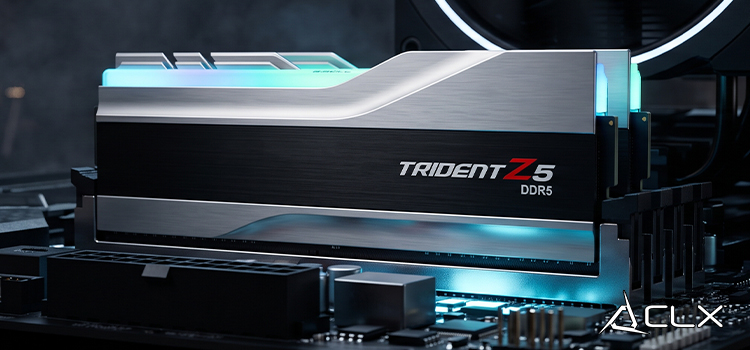
Random Access Memory (RAM) is crucial for multitasking and ensuring your games run without hiccups. Aim for at least 16GB of RAM, though 32GB is ideal for future-proofing your system and accommodating the latest games.
Software Optimization Tips
Update Drivers
Outdated drivers can bottleneck your system, reducing FPS. Regularly update your GPU, CPU, and motherboard drivers to ensure optimal performance. Use utilities like NVIDIA GeForce Experience or AMD Radeon Software to keep your drivers up to date.
Adjust In-Game Settings
Tweaking in-game settings can have a substantial impact on your FPS. Lowering the resolution, disabling V-Sync, and reducing graphical effects like shadows and textures can free up resources, resulting in a smoother gaming experience.
Use Game Boosters
Game optimization software like Razer Cortex or MSI Afterburner can help streamline your system by closing unnecessary background processes and allocating more resources to your game.
Overclocking and its Effects on FPS
Overclocking involves pushing your GPU and CPU beyond their factory-set limits to achieve higher performance. While this can boost your FPS, it also generates additional heat and can reduce the lifespan of your components if not done properly. Use software like MSI Afterburner for controlled overclocking and invest in adequate cooling solutions to keep temperatures in check.
Importance of Regular Maintenance for Sustained FPS
Clean Your Hardware
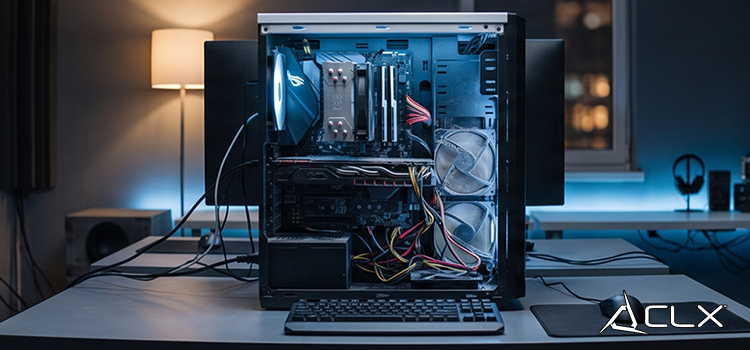
Dust and debris can accumulate in your system, causing overheating and reduced performance. Regularly clean your components, including fans and heatsinks, to maintain optimal airflow.
Monitor System Health
Use diagnostic tools like HWMonitor or Speccy to keep an eye on your system’s temperatures, voltages, and overall health. Early detection of issues can prevent long-term damage and sustain high FPS.
Future of FPS in Gaming: Emerging Technologies
Ray Tracing
Ray tracing is revolutionizing graphics by simulating the way light interacts with objects. While it can be demanding on hardware, advancements in technology are making it more accessible. GPUs like the NVIDIA RTX series are designed to handle ray tracing efficiently, enhancing visual fidelity without sacrificing performance.
DLSS and FSR
NVIDIA’s Deep Learning Super Sampling (DLSS) and AMD’s FidelityFX Super Resolution (FSR) use AI to upscale lower-resolution images, providing higher FPS while maintaining visual quality. These technologies are game-changers for achieving high FPS in graphically demanding titles.
Conclusion
Achieving a high FPS is not just about having the latest hardware; it requires a holistic approach encompassing both hardware upgrades and software optimization. By following these tips, you can ensure a smoother and more responsive gaming experience, giving you the competitive edge you need.
Ready to take your gaming performance to the next level? Share your FPS improvement journey with us and let’s conquer the gaming world together!
About Us
CLXGaming is a PC builder based in Wichita, KS that builds prebuilt PCs, custom PCs and laptops for all of your gaming and creative needs. We work with any budget and offer flexible gaming PC financing.
If you would like more information about our PCs, please contact our customer support team at (855) 490-2569 or [email protected]. We pride ourselves on our excellent customer service and are happy to assist with your needs.