You just dropped a massive chunk of your budget on a top-tier CPU. Now, you need to keep it from melting through your motherboard. Thermal throttling is the absolute enemy of high frame rates and smooth gameplay. When your processor overheats, it aggressively downclocks to protect itself, tanking your performance right in the middle of a crucial match.
Choosing the exact right cooling solution dictates how hard you can push your rig. You need maximum thermal dissipation to maintain peak boost clocks. We are breaking down the hard facts on air cooling, liquid cooling, and hybrid setups so you can execute the perfect build.
The Mechanics of Air Cooling
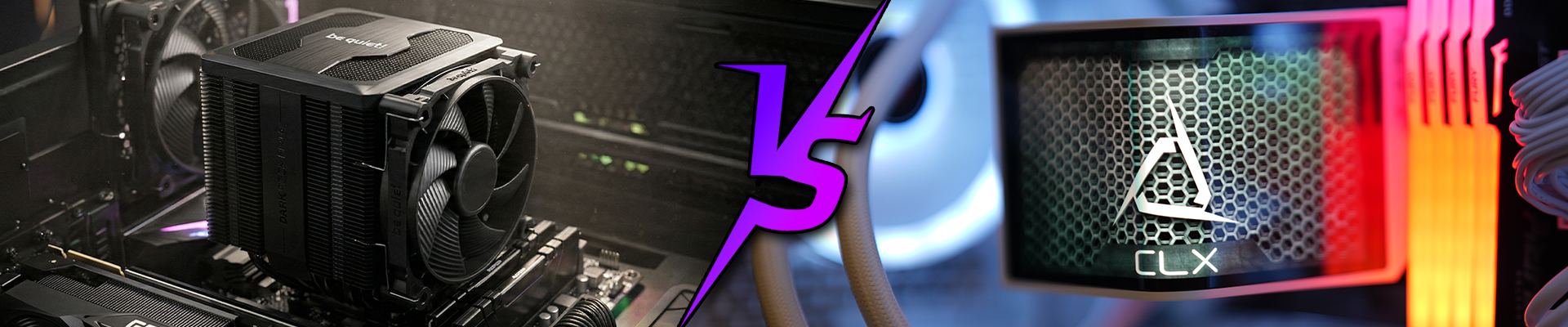
Air coolers rely on a metal heatsink attached directly to your CPU, drawing heat away through thermal paste and copper heat pipes. High-static pressure fans then blast that heat away from the fin stack and out of your case.
The Advantages
Air cooling dominates the budget sector. You get massive bang for your buck, and the installation process is straightforward. There are zero risks of catastrophic liquid leaks destroying your GPU. High-end air coolers frequently rival liquid coolers in raw thermal performance.
The Drawbacks
Heavy-duty air coolers take up a massive footprint inside your chassis. They can block RAM slots and look aggressively bulky. When you push a high-TDP processor to its absolute limit, those fans have to spin at maximum RPM, generating significant acoustic noise.
The Power of Liquid Cooling
Liquid cooling systems use a pump to circulate a specialized coolant across a water block mounted to your CPU. The heated liquid travels to a radiator, where fans dissipate the heat before the liquid cycles back. All-In-One (AIO) coolers come pre-sealed, while custom loops require you to bend tubes and fill the reservoir yourself.
The Advantages
Water has a significantly higher specific heat capacity than air. This means liquid coolers absorb thermal spikes faster, keeping your CPU temperatures incredibly stable during intense, prolonged gaming sessions. They also clear up the space around your CPU socket, showcasing your motherboard components and RGB lighting.
The Drawbacks
Liquid cooling demands a premium budget. AIO coolers cost significantly more than equivalent air coolers, and custom loops can cost as much as a high-end graphics card. You also introduce mechanical points of failure, specifically the pump. While extremely rare in modern AIOs, a coolant leak will immediately kill your system.
Utilizing Hybrid Solutions
Sometimes, you need to leverage multiple thermal strategies. Hybrid cooling solutions often involve utilizing an AIO liquid cooler for your incredibly hot CPU, while relying on a massive array of high-airflow case fans to feed fresh air directly to an air-cooled GPU. Some extreme enthusiasts even run hybrid cooling shrouds on their graphics cards to maximize thermal headroom across the entire system.
Choosing Your Weapon
Your cooling strategy must align perfectly with your hardware specifications and budget.
- For the Budget Builder: Stick to a high-quality tower air cooler. You save money for a better GPU and guarantee years of zero-maintenance reliability.
- For the Mid-Tier Gamer: A 240mm AIO liquid cooler offers the perfect balance of sleek aesthetics and strong thermal performance for processors like the Ryzen 7 or Intel Core Ultra7.
- For the Hardcore Overclocker: You need a 360mm or 420mm AIO, or a full custom liquid cooling loop. When pushing maximum voltage through a flagship CPU, liquid is the only way to sustain those elite clock speeds.
Lock In Your Thermal Strategy
Heat kills hardware. Your cooling solution is the armor that protects your investment and guarantees maximum frame rates. Air cooling delivers unmatched reliability and value, while liquid cooling provides the elite thermal capacity required for hardcore overclocking.
Assess your CPU's thermal design power (TDP), measure your case clearance, and make the upgrade. Equip your rig with the ultimate cooling solution today and never lose a frame to thermal throttling again.